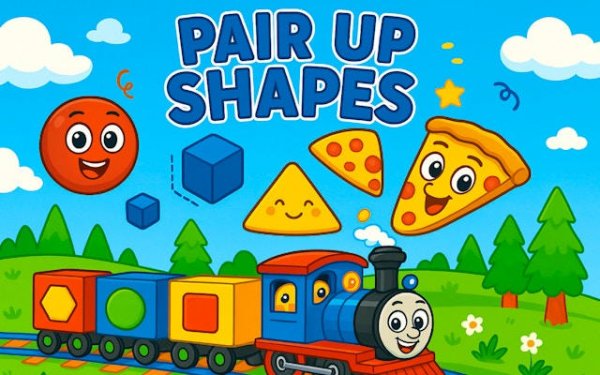
Pair Up Shapes is a well-designed educational puzzle for young children. The bright visuals and clear feedback keep kids engaged while they practice shape recognition. The difficulty increases gradually, offering replay value as skills improve. It is a reliable choice for parents looking for quality screen time.
Pair Up Shapes - Geometry Puzzle Online Game introduces young learners to basic geometric shapes through a matching activity. Circles, squares, triangles, and rectangles appear on screen with bright, friendly colors. Children tap on pairs of identical shapes to make them disappear, reinforcing visual recognition and memory. The game is designed for preschool and early grade students, offering a gentle learning curve that builds confidence. Each correct match provides positive feedback, encouraging continued play. As children progress, new shapes and slightly faster rounds keep the experience engaging without causing frustration. This game serves as a practical tool for parents and educators seeking to combine screen time with educational value.
Playing Pair Up Shapes is simple. Shapes appear on the screen in a grid or scattered layout. The player taps on one shape, then taps on another shape that looks exactly the same. If the shapes match, they vanish with a cheerful animation. If they do not match, the shapes remain, and the player can try again. The game tracks matches and may introduce a timer or additional shapes to increase difficulty. No reading skills are required, making it accessible for very young children. The intuitive tap controls are designed for small fingers, allowing independent play.
Interactive shape learning. Simple tap controls for easy play. Cognitive ability development through pattern recognition. Hand-eye coordination improvement. Colorful and friendly interface. Safe and ad-free learning environment.
Pair Up Shapes offers a calm, focused activity that supports early math skills. It provides a sense of accomplishment with each match, making learning rewarding.
This H5 game runs smoothly on: • Desktop computers (Windows / Mac) • Mobile phones (iPhone / Android) • Tablets (iPad / Android) 🌐 Best experienced with Chrome, Safari, or Edge
Clean design and smooth gameplay. Great for short breaks.

Realistic medical simulation with strategic depth. Perfect for adults who enjoy thoughtful gameplay.

Clean design and smooth gameplay. Great for short breaks and improving timing skills.
Clean design and smooth gameplay. Great for short breaks. Challenging puzzles that improve logical thinking.

Clean design and smooth gameplay. Great for short breaks or longer sessions.
Clean design and smooth gameplay. Great for short breaks and logic practice.

Smooth and relaxing puzzle game. Great for quick mental breaks.

Clean design and smooth gameplay. Great for short breaks. Cute magical theme adds charm.

Colorful scenes and fair challenge. A pleasant way to pass a few minutes.
Charming escape game with clever puzzles. Relaxing and satisfying for puzzle fans.