
What players say
Pizza Shop Tycoon offers a calm yet engaging management experience. The intuitive touch controls make it easy to take orders, prepare pizzas, and serve customers quickly. Unlocking new recipes and upgrading kitchen equipment provides a steady sense of accomplishment. The colorful graphics and offline play option add to its appeal for casual gamers.
About this game
Game Introduction
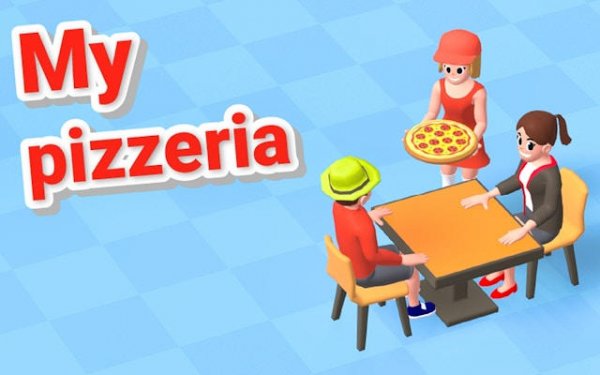
Pizza Shop Tycoon: Restaurant Management places you in charge of a small, cozy pizza shop with the goal of turning it into a thriving restaurant chain. You begin with basic ingredients such as dough, sauce, and cheese, then gradually unlock new toppings and specialty pizzas as your earnings grow. Each customer order requires careful attention, from selecting the right ingredients to baking the pizza to perfection. The game rewards efficient kitchen management and smart investment in upgrades, such as faster ovens and additional counter space, which help you serve more customers and increase satisfaction. With colorful graphics and an intuitive interface, this simulation offers a satisfying progression system that keeps you engaged as you build your business from the ground up. The experience is designed to be relaxing and accessible, making it suitable for players of all ages who enjoy strategy and resource management.
How to Play
To play, you accept customer orders displayed at the counter. Each order shows the required pizza type and toppings. You select the correct dough, add sauce, cheese, and toppings, then place the pizza into the oven. A baking timer appears, and you must monitor it to avoid burning or undercooking. Once ready, serve the pizza promptly to earn tips and high satisfaction scores. Use your earnings to purchase upgrades like improved ovens, additional prep stations, or decorative items that attract more customers. Keep an eye on your ingredient stock and restock when supplies run low to avoid delays. As you progress, new recipes and challenges unlock, encouraging you to refine your workflow and expand your menu.
Game Features
Game features include a variety of pizza recipes and toppings to unlock as you advance. Upgradable kitchen equipment improves both speed and quality of your pizzas. A customer satisfaction system affects tips and your overall reputation. Progressive difficulty introduces new challenges as you level up. Colorful graphics and smooth touch controls are suitable for all ages. Offline play is available after the initial download, allowing you to enjoy the game without an internet connection.
Tips for Success
Focus on completing orders quickly and accurately to build a strong reputation. Prioritize upgrades that speed up your kitchen, such as faster ovens, to handle more customers during busy periods. Keep your ingredient stock well-supplied to avoid delays. Experiment with different pizza recipes as they unlock to keep your menu fresh and appealing. Regular practice helps you refine your timing and workflow, leading to higher satisfaction scores and faster business growth.












Player Comments
Sign in to comment
You must be logged in before posting a review or rating.
No account? Create one
No comments yet. Be the first to comment!