
What players say
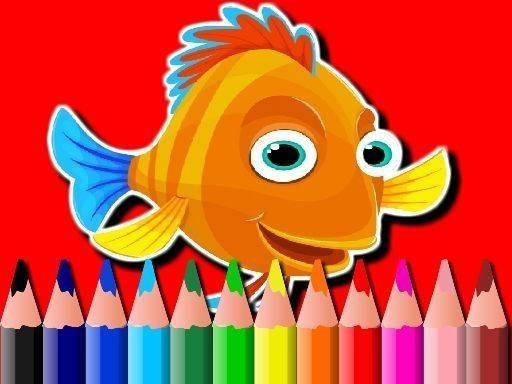
Underwater Palette: Fish Art Studio offers a straightforward coloring experience that prioritizes relaxation over competition. The selection of fish outlines ranges from basic to moderately detailed, giving both newcomers and experienced colorists something to enjoy. The interface is clean, and the click-to-fill mechanic works reliably on different devices. One of its strongest points is the absence of timers or scores, which encourages experimentation with color combinations. It serves well as a brief mental break or a longer creative session. The option to save and share finished pieces adds a nice social element without being pushy.
About this game
Selecting Your Canvas
When you open Underwater Palette: Fish Art Studio, the first step is picking a fish picture to color. The collection includes both simple shapes with large open areas and more elaborate drawings with many small sections. Beginners often start with the straightforward outlines, while those looking for a longer session may prefer the detailed illustrations. Each image offers a different creative challenge, but none require any previous artistic skill.
The Color Selection Process
On the side of the screen, a palette displays a wide range of colors. You can scroll through the options and click on any shade that catches your eye. After selecting a color, you click on any enclosed area of the fish picture, and that section fills instantly. If you change your mind, you can pick a different color and click again. This simple click-to-fill mechanic makes the experience accessible to everyone, from young children to older adults.
Working Without Pressure
Unlike many digital activities, this game has no timers, no scoring, and no wrong moves. You can color one section and then pause for a few hours before returning. The undo and redo buttons let you experiment freely. If a color combination does not look right, you can reverse it with a single click. This freedom encourages playful exploration rather than worrying about making mistakes.
Saving and Sharing Your Work
Once you finish a picture, you have the option to save it to your device or share it with friends and family. The saved image captures your exact color choices, so you can look back at your creations over time. Sharing can be a simple way to show someone what you made or to inspire others to try their own color combinations.
Accessibility and Convenience
The game runs entirely in your browser, which means there is nothing to download or install. It works on most devices with an internet connection, including laptops, tablets, and smartphones. The interface is clean and uncluttered, with buttons that are easy to find. This straightforward design helps you focus on the coloring activity without distractions.
Who Will Enjoy This Activity
Because the controls are simple and the pace is entirely self-directed, this game suits a wide audience. Parents can share it with their children for a quiet afternoon activity. Adults looking for a brief mental break may find it helpful for clearing their thoughts. The variety of fish images ensures that there is something for different tastes and skill levels, from a quick five-minute color session to a longer, more detailed project.




Player Comments
Sign in to comment
You must be logged in before posting a review or rating.
No account? Create one
No comments yet. Be the first to comment!