
What players say
Autumn Lantern Design Studio offers a calm, satisfying creative experience that stands out for its intuitive drawing tools and the magical night mode feature. The ability to adjust glow intensity adds depth to each design, making every creation feel unique. The blend of freehand drawing and pre-made patterns ensures accessibility for all skill levels. This is a wonderful choice for families seeking a peaceful, screen-based activity that encourages artistic expression without pressure.
About this game
Design Your Own Glowing Masterpiece
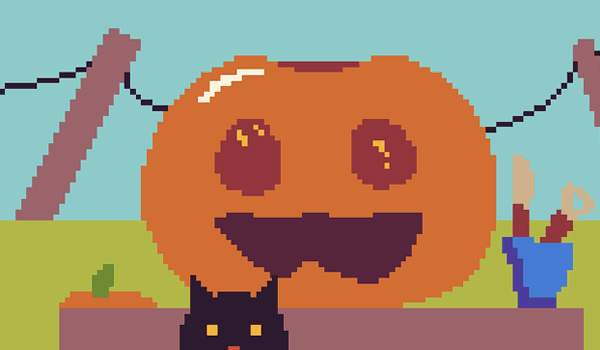
Players begin by selecting a pumpkin shape from several available options, including round, tall, and wide silhouettes. After choosing a size that fits the screen, they can use intuitive drawing tools to carve lines, curves, and geometric shapes directly on the pumpkin surface. For those who prefer a quicker approach, a library of pre-made patterns—such as stars, moons, and seasonal motifs—offers instant inspiration. An undo button allows for easy corrections, encouraging experimentation without frustration. This blend of freehand creativity and guided templates makes the activity accessible to both children and adults, regardless of artistic experience.Night Mode and Glow Customization
Once the design is complete, players can activate a special night mode that darkens the background and illuminates the pumpkin from within. A slider control lets users adjust the glow intensity from a soft, subtle light to a bright, vibrant radiance. This feature adds a magical quality to each creation, transforming a simple drawing into a dynamic, luminous display. The ability to fine-tune the lighting effect encourages players to experiment with different moods and visual styles, making each session feel fresh and rewarding.Family-Friendly Creative Experience
The entire experience is designed to be safe and enjoyable for all ages, with no violent or inappropriate elements. Simple touch or click controls ensure that even young children can participate without difficulty. The focus remains on artistic expression and relaxation, providing a calm, screen-based activity that can be shared among family members. Whether used as a seasonal pastime or a regular creative outlet, the game promotes patience, fine motor skills, and imaginative thinking in a pressure-free environment.Tips for Enhancing Your Designs
For best results, start with a straightforward pattern and gradually add more intricate details. Use the undo feature freely to try different approaches without worry. Experiment with various pumpkin shapes to see how they complement your chosen design. Adjust the glow intensity to create different atmospheres—soft for a cozy feel, bright for a festive look. Regular practice with the drawing tools will improve precision and confidence, but the most important rule is to enjoy the process and let your creativity guide you.Compatibility
💻 Desktop | 📱 Mobile | 📟 Tablet
– All supported · Best with Chrome or Safari
FAQ
Can I save my finished pumpkin designs in Autumn Lantern Design Studio?
The game may allow you to capture screenshots of your creations, but saving designs for later editing is not confirmed. Check the in-game options for any save or export features.
Is Autumn Lantern Design Studio available on mobile devices?
Based on the simple touch controls, the game is likely designed for both desktop and mobile platforms. Check the app store or game website for specific device compatibility.
Are there any in-app purchases or ads in this game?
The game description does not mention in-app purchases or advertisements. It appears to be a standalone creative tool, but verify on the download page for any monetization details.
Can multiple people work on the same pumpkin design together?
The game is designed for single-player use, with one person controlling the drawing tools. However, family members can take turns creating designs on the same device.
What age group is Autumn Lantern Design Studio best suited for?
The simple controls and non-violent content make it suitable for children aged 4 and up, while adults will also appreciate the relaxing creative process. It is a family-friendly activity for all ages.
Does the game include any educational elements?
While not explicitly educational, the game encourages creativity, fine motor skills, and color recognition. It can be used as a tool for artistic expression and relaxation.











Player Comments
Sign in to comment
You must be logged in before posting a review or rating.
No account? Create one
No comments yet. Be the first to comment!