
What players say
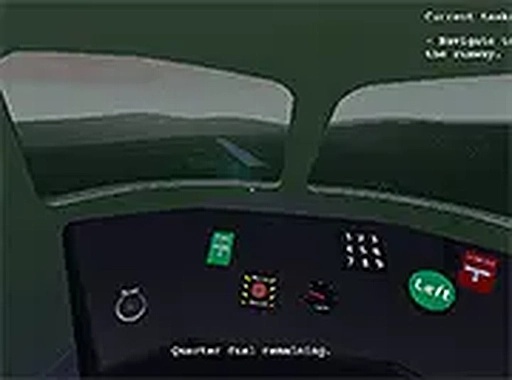
Guided Landing Pilot Trainer delivers a surprisingly deep experience within a simple browser framework. The core loop of reading prompts and adjusting flight parameters feels satisfyingly tactile. The random scenario generation ensures no two landings are alike, which keeps the game fresh over many sessions. Its family-friendly nature and lack of downloads make it an easy recommendation for anyone seeking a calm yet engaging mental exercise. The controls are responsive, and the full-screen mode enhances immersion. While it won't replace a full-featured flight sim, it excels at what it sets out to do.
About this game
Core Flight Mechanics
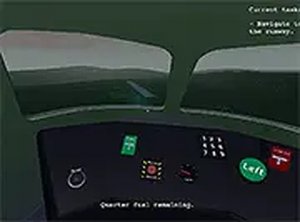
This simulation places you in control of an aircraft during its final approach. Your main task is to interpret on-screen indicators that guide adjustments to altitude, speed, and heading. The game responds directly to your input, making each action feel deliberate. Unlike arcade-style flying, this experience rewards careful observation and measured responses. The interface is clean and uncluttered, allowing you to concentrate on the task at hand. Whether you are a seasoned simulation fan or new to the genre, the core loop remains accessible yet demanding.
Scenario Variety
No two play sessions are identical. The game generates a new set of circumstances each time you start, meaning you cannot rely on memorized patterns. Weather conditions, runway alignment, and approach angles may shift, forcing you to adapt your strategy. This variety keeps the experience fresh and encourages repeated play. Over time, you will develop a better sense of how to anticipate changes and adjust your control inputs accordingly. The unpredictability is a key part of what makes the simulation engaging.
Controls and Accessibility
Designed exclusively for desktop computers, the game accepts both keyboard and mouse inputs. The control scheme is straightforward: you respond to prompts by clicking or pressing designated keys. There is no need to learn complex button combinations or memorize control mappings. This simplicity makes the simulation approachable for players of all ages and skill levels. A full-screen mode is available to reduce distractions and create a more focused environment. The entire experience runs directly in a web browser without any additional software installation.
Family-Friendly Design
The content is suitable for all age groups. There are no violent themes, mature topics, or inappropriate elements. The simulation focuses on problem-solving, attention to detail, and following directions. Parents can feel confident allowing children to play without supervision. The game promotes positive cognitive skills such as patience, hand-eye coordination, and decision-making under mild pressure. It serves as a constructive activity that entertains while also offering a gentle learning curve.
Tips for Consistent Progress
To improve your performance, focus on maintaining a steady rhythm. Rushing through prompts often leads to errors. Instead, take a moment to read each instruction fully before acting. Practice helps you become more familiar with the types of adjustments required. Short sessions are effective for building muscle memory, while longer sessions allow you to tackle more complex scenarios. The key is to remain calm and methodical. Over time, your ability to handle varied situations will grow naturally.





Player Comments
Sign in to comment
You must be logged in before posting a review or rating.
No account? Create one
No comments yet. Be the first to comment!