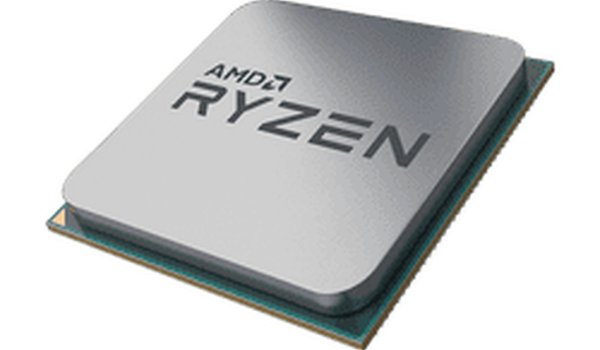
MeuPC offers a well-designed introduction to computer hardware. The drag-and-drop mechanics are smooth, and the visual cues make learning easy. Each correct placement provides a satisfying reward. The game is short enough for a quick session but encourages replay to reinforce knowledge. It is ideal for children and beginners interested in technology.
MeuPC is an educational puzzle game that introduces players to the fundamental components of a computer. Through a simple drag-and-drop interface, players learn where each part belongs inside a computer case. The game presents parts such as the motherboard, CPU, RAM, hard drive, and power supply. Visual cues guide players to the correct slots, making the learning process intuitive. This game is designed for all ages, especially children and beginners curious about technology. It promotes logical thinking and problem-solving without any violent or stressful elements. MeuPC offers a safe, hands-on virtual experience for understanding PC hardware.
To play MeuPC, start by looking at the parts tray at the bottom of the screen. Click and drag a component, such as the CPU or RAM, toward the computer case diagram. A highlighted area shows where the part should go. Release the mouse button to drop the part. If placed correctly, the part locks into place with a brief animation. If wrong, the part returns to the tray. The game proceeds step by step, allowing players to build a complete basic computer at their own pace. There are no timers or penalties, ensuring a relaxed learning environment.
Drag-and-drop assembly makes learning interactive. Educational content teaches real computer hardware names and locations. Family-friendly design ensures a safe experience for all ages. Step-by-step progression allows players to learn gradually without pressure.
Take your time to observe each highlighted area before dropping a part. If a component does not fit, try rotating it or checking the shape of the slot. Practice identifying parts by their names and shapes to speed up your assembly. Repeat the puzzle multiple times to reinforce your knowledge of computer hardware layout.

Clever and funny. Balancing meters adds a nice challenge. Great for quick plays.

A calming desert walk with simple controls. Perfect for relaxing short breaks.
Simple, colorful, and relaxing. A great way to unwind during short breaks.
Beautiful vaporwave visuals and effortless gameplay. A great way to relax and watch points grow.

Clean, cheerful clicker with a lovable unicorn. Perfect for quick, relaxing breaks.

Charming puzzles with a gentle learning curve. Great for kids and adults alike.
Clean life simulation with meaningful choices. Idle gameplay fits busy schedules well.

A delightfully silly game. Press a flower, watch a laser. Simple, clean, and good for a quick laugh.

Simple clicker mechanics with clear upgrades. A relaxing way to learn about mining.

Safe and educational number puzzle game. Clean design helps kids learn math without pressure. Great for family time.